Skip to content
Transcriwise
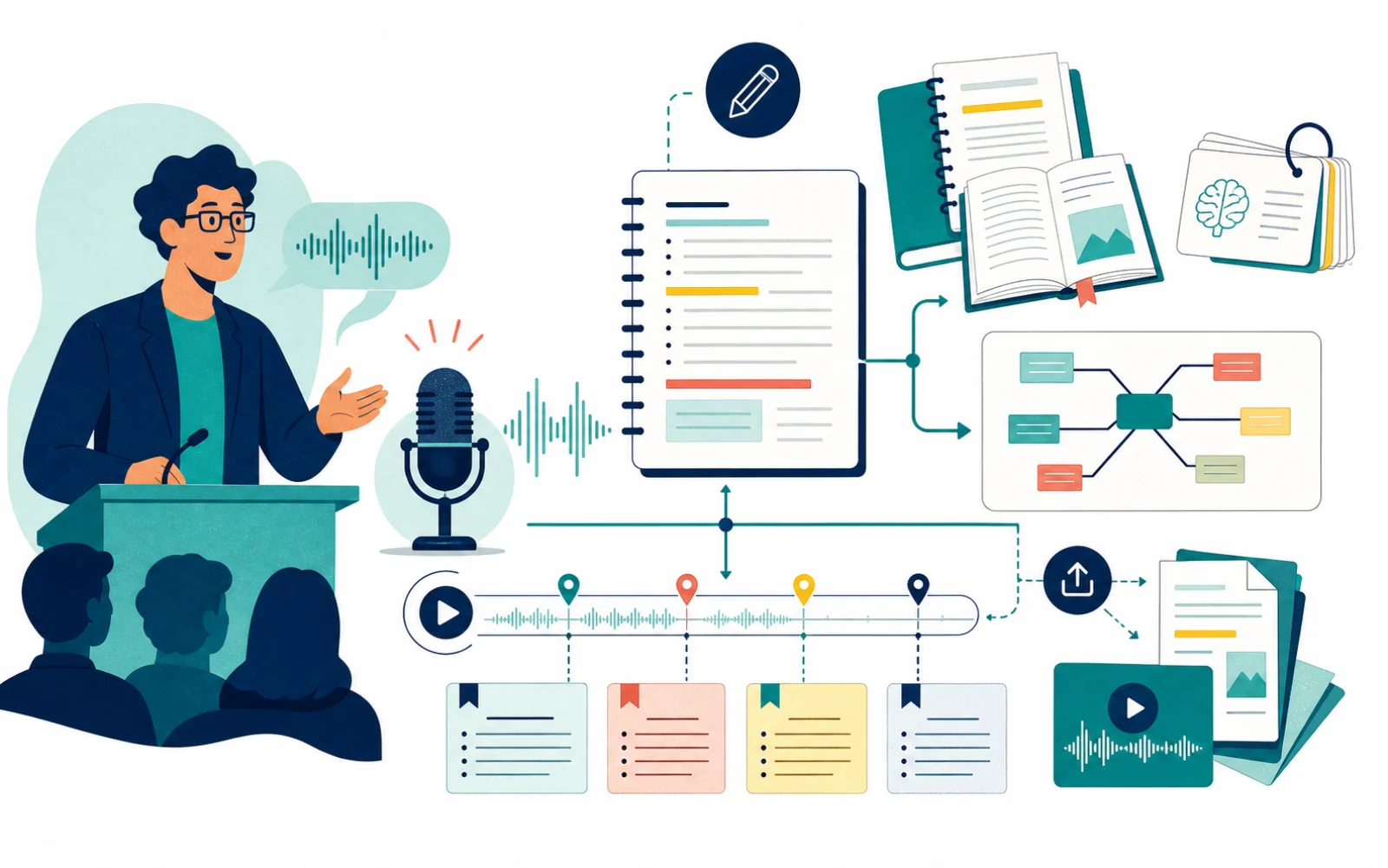
Illustration of a lecture becoming study materials

For teachers and students

Lectures become a study guide, not just a transcript.

Turn a recorded class into a clean transcript — then, when it helps, into a study guide with chapters, summaries, and a glossary you can actually revise from.

Study material, illustration, and Pro models are optional; Pro is used only in compatible stages, not across the entire document.

For teachers and students

From a lecture to different ways to study it.

Transcription, editorial structure, study material, and illustrations stay as separate, optional layers — you turn on only what a given class needs.

  • Subject, instructor, and main topic captured up front
  • Exam tips and references preserved
  • Structure ready for review and export

For teachers and students

What it takes to study from a class, not just read it back.

Capture the class accurately, organize it into a study guide, and make every past lecture searchable.

Transcription that keeps the teaching intact

The point is not just to record what was said. It is to preserve the explanation, the examples, the teaching sequence, and the relevant remarks of the class.

  • Upload long recordings
  • Cloud and meeting flows when class happens online
  • 9 selectable ASR families based on audio type

Study guides, chapters, and teaching material

Built-in study modes turn the transcript into a study guide — faithful to the class, split into chapters and sections you can revise from.

  • More readable text for review
  • References, examples, articles, and exam tips preserved
  • Organized into sections, chapters, and supporting material

Search every past class in one place

Search across all your classes to find a passage, compare two lectures, or pull up what you covered weeks ago.

  • Export to Word, PDF, and Markdown
  • Share links and collaborative work
  • Knowledge base to search past lectures

For teachers and students

From audio to study material.

Three steps: record the class, turn it into study material, share and revise it.

  1. Capture

    Lecture recorded, imported, or transcribed live

    Upload long recordings · Cloud and meeting flows when class happens online · 9 selectable ASR families based on audio type

  2. Structuring

    From transcript to study guide

    More readable text for review · References, examples, articles, and exam tips preserved · Organized into sections, chapters, and supporting material

  3. Distribution

    Study, review, and sharing

    Export to Word, PDF, and Markdown · Share links and collaborative work · Knowledge base to search past lectures

Who gets the most out of it

From a single professor to a whole course operation — anyone who records classes and needs them again later.

Teachers and courses that want to turn lectures into reusable material.

Built-in study modes turn the transcript into a study guide — faithful to the class, split into chapters and sections you can revise from.

Students who need to review content with searchable, navigable text.

The point is not just to record what was said. It is to preserve the explanation, the examples, the teaching sequence, and the relevant remarks of the class.

Exam prep and graduate studies, where lecture details matter.

Search across all your classes to find a passage, compare two lectures, or pull up what you covered weeks ago.

Schools and course providers recording classes every week.

Transcription, editorial structure, study material, and illustrations stay as separate, optional layers — you turn on only what a given class needs.

Real discounts for students — and more minutes for accessibility.

An education discount and an accessibility program with extra minutes for those who rely most on transcription — with a page of their own, not buried in the fine print.

Transcriwise